Export PNLE Practice Questions to PDF for Offline Review
We're excited to introduce a new feature that many nursing board exam reviewers have been asking for: PDF Export. Now you can take your PNLE practice questions anywhere—even without an internet connection.
Why Offline PNLE Review Matters
While online practice offers instant feedback and progress tracking, there are times when studying offline is more practical for your nursing licensure exam preparation:
- No internet access – Review PNLE questions during commutes, in areas with poor connectivity, or during power outages
- Reduced screen time – Give your eyes a break by practicing on paper like a traditional PNLE reviewer
- Simulate real board exam conditions – The actual Philippine Nursing Licensure Examination is a paper-based exam, so practicing on paper helps you get comfortable with the format
- Share with nursing study groups – Print copies for group review sessions with fellow nursing graduates
How to Export Your PNLE Practice Papers
Exporting your nursing board exam reviewer is simple and takes just a few clicks:
- Open any PNLE practice session
- Look for the "Export PDF" button in the Question Overview section
- A preview window will show you exactly how your PDF reviewer will look
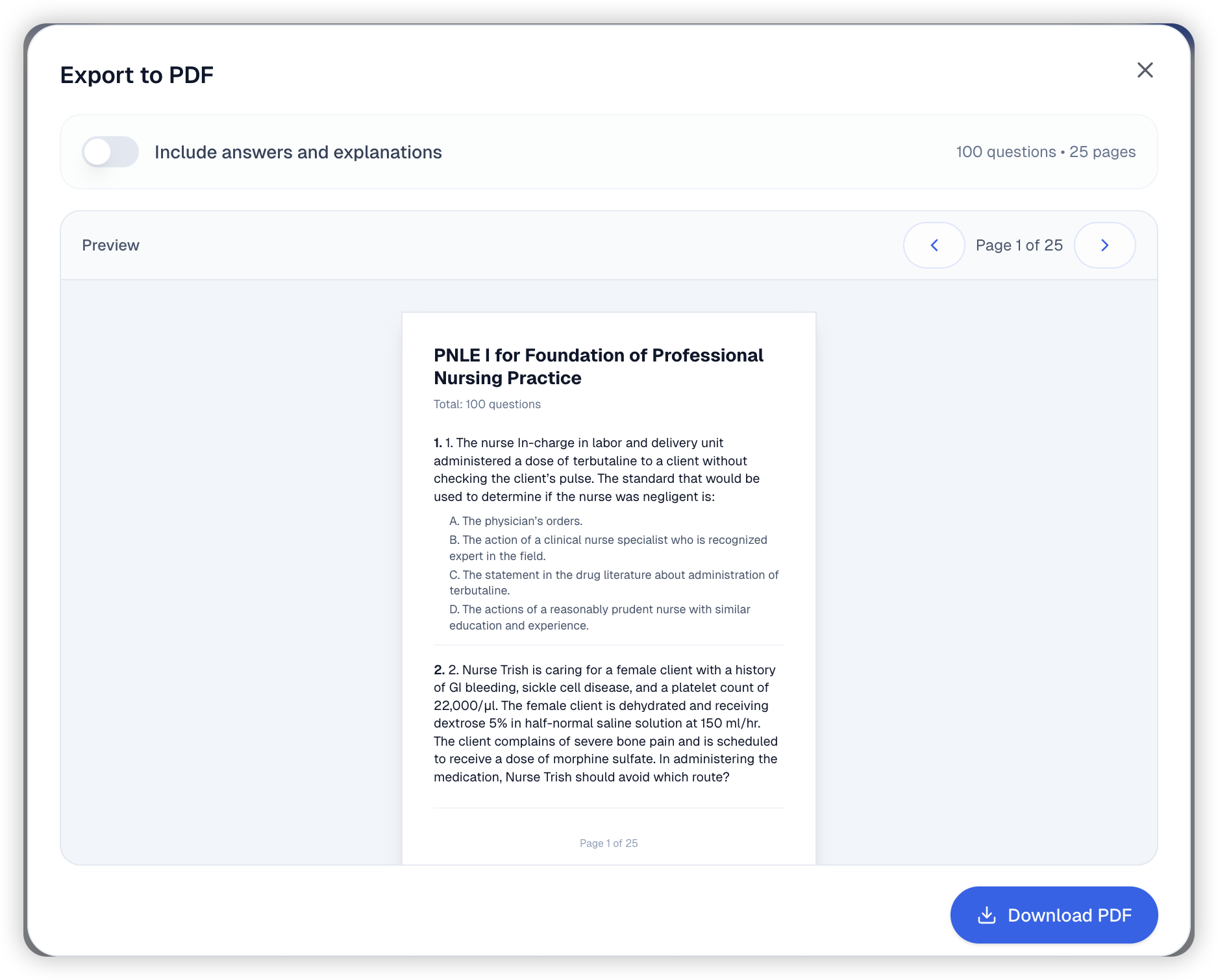
Customize Your PNLE Reviewer Export
The export feature gives you control over what's included in your PDF:
Questions Only Mode
Perfect for self-testing your nursing knowledge. Export just the PNLE questions and options—no answers revealed. Challenge yourself to answer on paper, then check your answers online later.
Include Answers & Rationales
Toggle on the "Include answers and explanations" switch to get a complete PNLE study guide. Correct answers and nursing rationales are highlighted in red for easy reference—essential for understanding the reasoning behind each answer.
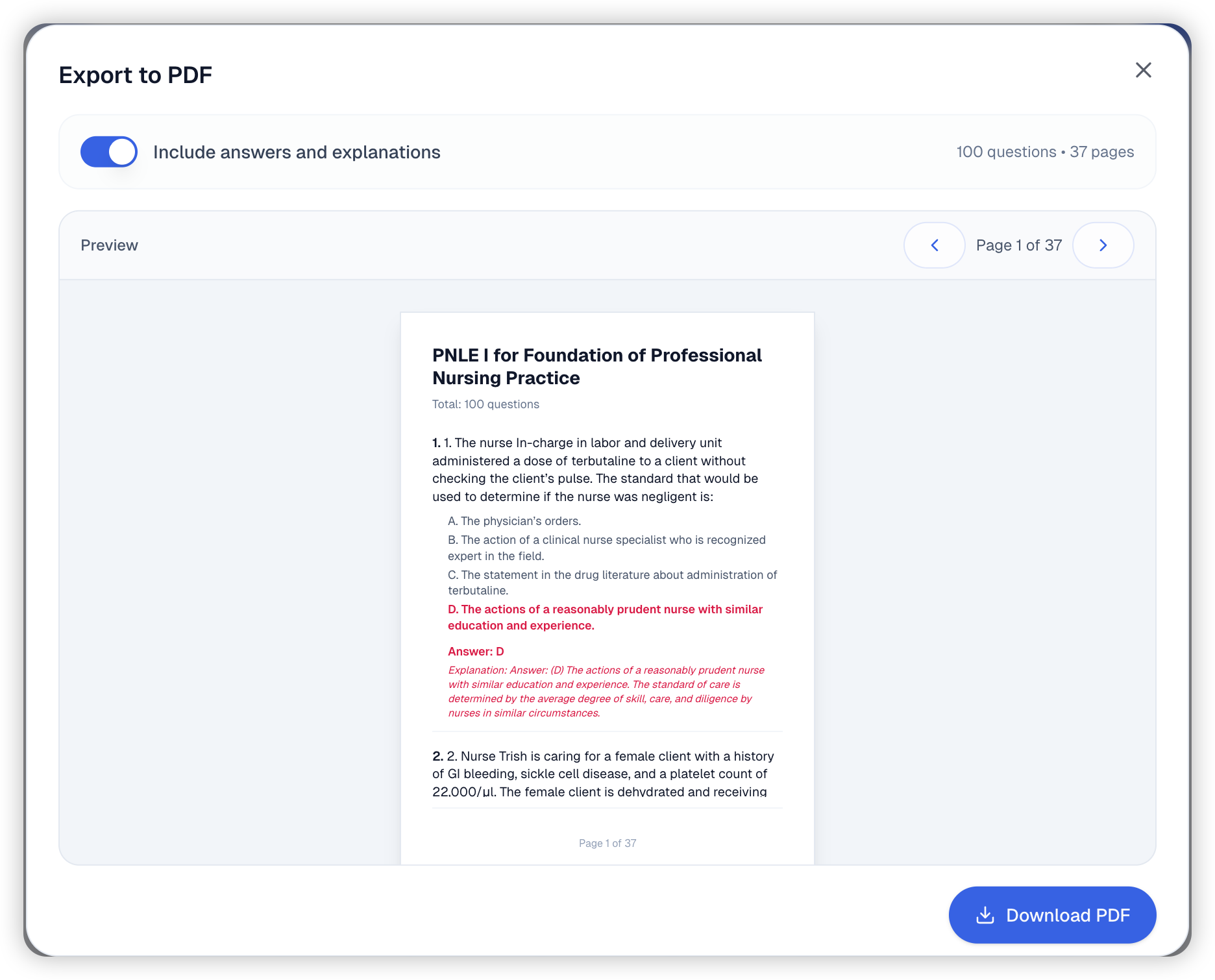
PDF Features
Every exported PNLE reviewer PDF includes:
- Clean, readable layout – Nursing questions are well-formatted with proper spacing
- Page numbers – Easy navigation through multi-page reviewers
- A4 format – Standard paper size for easy printing
- Watermark – Light watermark to identify the source
Tips for Offline PNLE Review
Here are some ways to make the most of your printed nursing board exam practice papers:
- Time yourself – Set a timer to simulate PNLE exam pressure (the actual exam has time limits per test)
- Use a separate answer sheet – Write your answers on a separate paper so you can reuse the questions for repeated review
- Review by nursing subject – Print papers covering specific areas like Fundamentals of Nursing, Medical-Surgical Nursing, or Community Health Nursing
- Annotate freely – Circle keywords, underline important nursing concepts, and write rationale notes in the margins
- Study with classmates – Organize review sessions with fellow BSN graduates preparing for the board exam
Perfect for PNLE 2026 Preparation
Whether you're reviewing for the February 2026 or November 2026 Philippine Nursing Licensure Examination, having offline access to practice questions gives you flexibility in your study schedule. Print a set of reviewers to study during breaks, while traveling, or whenever you have spare time.
Start Your Offline PNLE Review Today
Head to any practice session and try out the PDF export feature. Whether you're studying at home, in a coffee shop, at the library, or on the go, your Philippine Nursing Board Exam preparation never has to stop.
Good luck with your PNLE review, future RNs!